Most owners keep their money in a spreadsheet, then panic when a bank asks for a profit and loss. Record what moved, invoice the people who owe you, import the month straight off your bank, and hand over a signed statement in one click.
Business and personal money kept apart in the same app.
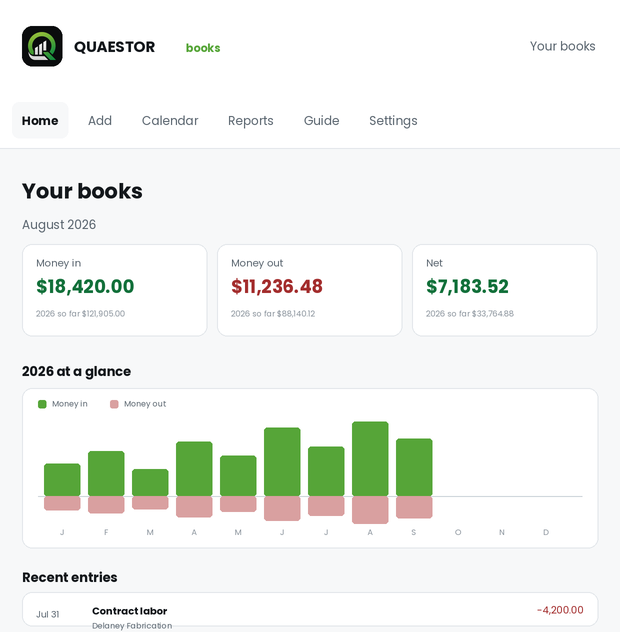
Everything here exists because a bank, an investor or an accountant asked for it and the spreadsheet could not answer.
A profit and loss, a balance sheet, and who owes you aged by how late — laid out the way a lender reads them, with your name and tax number at the top and a signature line at the bottom. Any stretch of dates back to 2000. PDF, CSV, or straight to the printer.
Write an invoice in a minute and email it, PDF attached, with replies coming back to you. One screen shows everything owed to you and everything you owe. Record what arrives, in full or in part, and the books keep themselves straight.
Download the CSV from your bank or card and drop it in. Every row comes back as one question: what was this? Nothing enters your books until you answer, and importing twice never doubles anything.
Made a mistake in March? Fix March. No closed periods, no correcting entries stacked on top of the error so it stays visible forever. You edit it, and it is edited.
Company money and your own money tracked side by side without ever mixing into each other's figures. Switch between them at the top of the screen.
Photograph a receipt on your phone and attach it to the entry. Files are kept out of reach of the web entirely and handed back only to you, so a shoebox of paper becomes a line you can actually find again.
No setup wizard, no chart of accounts to design, no bookkeeping course. It is ready the minute you are in.
Your name, address and tax number. This is what prints at the top of every statement you ever hand somebody.
Date, amount, what it was for, where it came from. Money out and money in are the same short form. Any date back to 2000.
Pick the period, build the report, download the PDF. What you see on screen is exactly what prints — no separate preview to second guess.
You are about to type a tax number into somebody's website. Here is exactly what happens to it.
For a sole proprietor that field is often a social security number. It is scrambled before it is stored, and unreadable to anyone who gets hold of the database or a backup of it.
What is kept is a scrambled version that can check a password without revealing it. Nobody can read it back — including us.
Nothing is ever read out of the database without your set of books attached to the request, and a set of books belongs to one account. Yours.
The whole database is backed up nightly and the last two weeks are kept, so a bad afternoon can be undone.
Open a set of books and record the first thing that moved. It takes a minute.
Want to run your own copy rather than an account on ours? Say so and we will talk.
